

If you want to know how to calculate grades with weights, you only need one formula and a few minutes. A plain average treats every score the same, but a project worth 40% of your grade matters more than a quiz worth 15%. Weighting fixes that. Below, you will learn how to calculate weighted grades by hand, then check your answer with our grade calculator.
Many students also ask what to do when an assignment is missing, not graded yet or excused. The usual steps for how to calculate grade with weights do not cover this, so we compare both ways of handling it using the same numbers. One example runs through the whole guide, so you can follow along and copy the steps for your own class.
Grading policies differ by school and teacher. Always check your syllabus before you rely on any result.
Quick answer: Here is how to calculate grade with weights: multiply each category grade by its weight written as a decimal (20% = 0.20), then add the results. If your weights total less than 100% because some work is not graded yet, divide that sum by the total weight used so far.
What Is a Weighted Grade?
A weighted grade is a course grade in which each category counts for a set percentage. Homework might be 20%, quizzes 15%, the midterm 25% and the project 40%. Teachers do this so bigger tasks count for more. The result is a weighted average. Learning platforms often call the categories assignment groups, and the percentages category weights. Knowing this is the first step in how to calculate weighted grades correctly.
Total-points grading works differently. Every assignment adds its points to one big pile, and your course grade is the points you earned divided by the points possible. A 100-point exam counts ten times more than a 10-point quiz because it has ten times the points, and no category percentages are involved.
Weighted grade vs. weighted GPA: A weighted grade is your percentage in one course. A weighted GPA is a different idea. It adds extra points for honors or AP classes across many courses.
Weighted Grade Formula
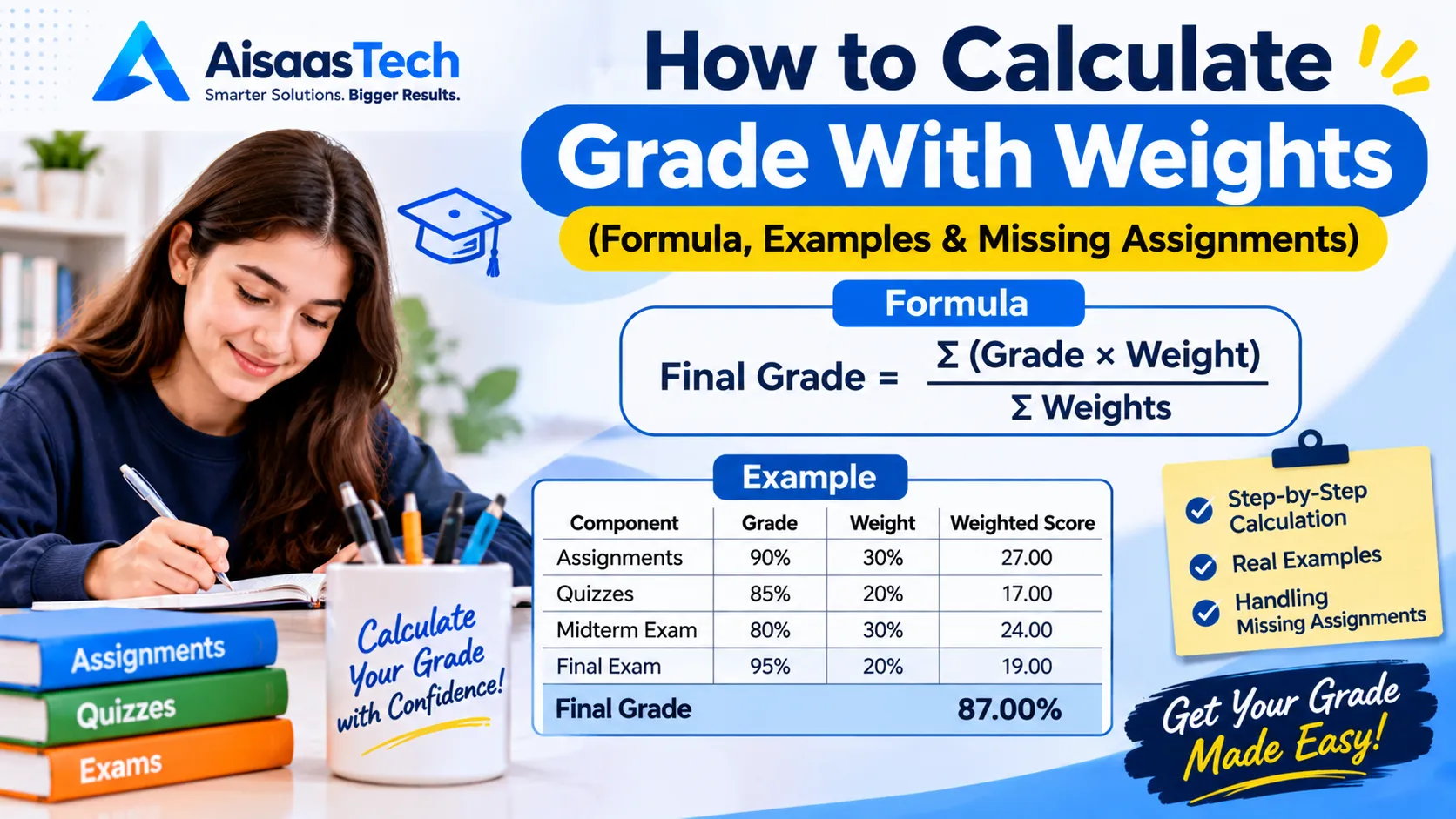
Weighted grade = (Grade 1 × Weight 1) + (Grade 2 × Weight 2) + …
This is the core of how to calculate weighted grades: write each weight as a decimal. Divide the percentage by 100, so 20% becomes 0.20 and 40% becomes 0.40. Your grades can stay as percentages. Each multiplication gives you weighted points, and the total of all weighted points is your course grade when the weights add up to 100%.
Sometimes the weights add up to less than 100% because part of the course is not graded yet. In that case, use this second version:
Current grade = Total weighted points ÷ Total weight completed
For example, if you have 50.65 weighted points from work worth 60% of the course, divide by 0.60. This is your grade so far on the work that counts. It is the same as the common weighted average formula, where you divide the sum of grade × weight by the sum of the weights.
How to Calculate Grade With Weights, Step by Step
Here is the class we will use to show how to calculate grade with weights from start to finish. Call it Example A.
| Category | Grade | Weight | Points (grade × weight) |
| Homework | 92% | 20% | 18.40 |
| Quizzes | 85% | 15% | 12.75 |
| Midterm | 78% | 25% | 19.50 |
| Project | 90% | 40% | 36.00 |
| Total | 100% | 86.65 |
Follow these four steps:
- List each grade and its weight. Use the table above. Every category needs both numbers.
- Turn each weight into a decimal. Divide by 100: 20% = 0.20, 15% = 0.15, 25% = 0.25 and 40% = 0.40.
- Multiply each grade by its weight, then add. Homework: 92 × 0.20 = 18.40. Quizzes: 85 × 0.15 = 12.75. Midterm: 78 × 0.25 = 19.50. Project: 90 × 0.40 = 36.00. The total is 18.40 + 12.75 + 19.50 + 36.00 = 86.65.
- Divide if the weights are under 100%. Here the weights total 100%, so you divide by 1 and the answer stays 86.65%.
Result: 86.65%, which is a B on the 4.0 scale used by our calculator (GPA 3.0). Schools round differently. If your teacher rounds to the nearest whole number, 86.65 becomes 87%, which would be a B+ on our scale.
Schools also set their own letter scales. For example, the University of Chicago registrar publishes a 4-point scale with no A+ or D-, and notes that grading policies are set by each school or division. Your syllabus is the final word.
You can test Example A yourself. Enter the four rows into our weighted grade calculator and compare the result with the table.
Weighted Grade With Several Assignments in One Category
Most categories hold more than one assignment. When you work out how to calculate grade with weights, turn each category into one grade first, then use that grade in the weighted formula.
Example B, same point values. Your homework scores are 88, 95, 92 and 93, each out of 100. Add them to get 368 and divide by 4. Your Homework grade is 92%. That is the number used in Example A.
Example B, different point values. Now suppose your quizzes are worth different amounts: Quiz 1 is 8 out of 10, Quiz 2 is 17 out of 20 and Quiz 3 is 27 out of 30. There are two ways to get the category grade, and they do not match.
| Method | Calculation | Category grade |
| Total points | 52 ÷ 60 | 86.67% |
| Average of percentages | (80 + 85 + 90) ÷ 3 | 85% |
The total points method gives bigger quizzes more influence. The average of percentages treats every quiz the same. Neither is wrong. The right one is the one your teacher uses. Canvas, for example, divides the points earned by the points possible inside each assignment group, as its official help page explains. If your syllabus does not say, ask your teacher.
How to Calculate Grade With Weights With Missing Assignments
Before you work out how to calculate grade with weights with missing assignments, decide which situation you are in. Students often mix these up, and the answer changes.
- Missing: The due date passed and nothing was turned in. Many teachers record this as a zero until the work arrives.
- Not yet graded: The work is submitted or still upcoming, but there is no score. It is usually left out of your current grade until it is graded.
- Excused: The teacher decides the work will not count at all. It is removed from your grade. The next section shows how.
Example C. Your Project, worth 40%, is missing. The work you do have adds up to 18.40 + 12.75 + 19.50 = 50.65 points, and it covers 60% of the course. There are two ways to handle the Project.
- Method 1, count it as zero. The Project adds 0 points. Divide by the full 100%: 50.65 ÷ 1.00 = 50.65%.
- Method 2, exclude it. Leave the Project out and divide by the weight you have completed: 50.65 ÷ 0.60 = 84.42%.
Here are the two results side by side:
| Method | Calculation | Result | Letter (our scale) |
| Count the Project as zero | 50.65 ÷ 100 | 50.65% | F |
| Exclude the Project | 50.65 ÷ 0.60 | 84.42% | B |
The gap is huge, and that is why so many students search for this. Counting a zero says you earned nothing on 40% of the course. Excluding the Project says your future grade will match the work you have done so far. The first is a worst-case grade. The second is a grade-so-far.
Which should you use? If the due date passed and the work is not excused, ask your teacher whether it counts as zero. If the work is not graded yet, exclude it and treat the result as your current grade. If the work is excused, remove it. Policies vary, so your syllabus decides.
Learning platforms handle ungraded work in their own ways. The Canvas help page linked above says that when an assignment group has no graded items, Canvas drops that group and divides the remaining groups by their combined weight. That is the same idea as Method 2.
How to Calculate Grade With Weights After Removing Missing Assignments
Use this method when an assignment is excused, dropped or removed by your teacher. You take its weight out of the course, then make the remaining weights add up to 100% again.
Example D. The Project is excused. The remaining weights total 60% (20 + 15 + 25). Divide each remaining weight by 60:
| Category | Old weight | New weight (old ÷ 60) | Grade | New points |
| Homework | 20% | 33.33% | 92% | 30.67 |
| Quizzes | 15% | 25% | 85% | 21.25 |
| Midterm | 25% | 41.67% | 78% | 32.50 |
| Total | 60% | 100% | 84.42 |
New grade = (92 × 0.3333) + (85 × 0.25) + (78 × 0.4167) = 30.67 + 21.25 + 32.50 = 84.42%.
Notice that this matches Method 2 from the last section. That is not a coincidence. Dividing every weight by 0.60 and then adding is the same as dividing the total by 0.60. So the exclude method and the re-weighting method always agree. This is the whole method for how to calculate grade with weights after removing missing assignments: take out the weight, divide the rest by the new total, then add.
Tip: dropping the lowest score. Some teachers drop the lowest quiz. Say your quiz scores are 70, 85 and 100. Drop the 70, then average the other two: (85 + 100) ÷ 2 = 92.5. Without the drop, the average would be (70 + 85 + 100) ÷ 3 = 85. Do the drop inside the category first, then apply the category weight.
How to Find the Grade You Need on Your Final Exam
Use this formula when you know your current grade and want to reach a target:
Needed = (Target − Current × (1 − Final weight)) ÷ Final weight
It assumes your current grade covers all the work that is not the final.
Example E. Your current grade is 88%, the final exam is worth 25% and your target is 90%.
Needed = (90 − 88 × 0.75) ÷ 0.25 = (90 − 66) ÷ 0.25 = 24 ÷ 0.25 = 96%
Check it: 66 + (96 × 0.25) = 66 + 24 = 90.
If the result is above 100%, your target may not be reachable without extra credit. In that case, talk to your teacher about options, or choose a lower target.
Common Mistakes When Calculating Weighted Grades
- Using 20 instead of 0.20 in the formula. Convert every weight to a decimal first, or divide the final sum by 100.
- Forgetting to divide when the weights total less than 100%. Divide your weighted points by the total weight completed.
- Averaging percentages when your teacher uses total points. Add the points earned and the points possible, then divide.
- Counting an ungraded assignment as zero. If it is not graded yet, leave it out for now.
- Mixing up weighted grade and weighted GPA. One is a course percentage. The other is a score across many courses.
Check Your Result With Our Free Grade Calculator
Doing math by hand is a good way to learn it. A calculator is a quick way to check it. Our free grade calculator handles the weighted formula for you.
- Enter each grade and its weight in the Weighted grade tab. Click “Load example” to see Example A filled in.
- Read your course grade, letter grade and GPA.
- Open the Final exam needed tab to find the score you need on your final.
Tip: To count a missing assignment as zero, enter 0 as its grade. To exclude it, leave it out. The calculator shows how much of the course is graded so far.
The calculator gives a close estimate, not an official grade. Your school may round or drop scores differently. For more tools, browse our more free online tools.
Frequently Asked Questions
Do weights have to add up to 100%?
No. In most classes they total 100%, but they do not have to. If they total less because some work is not graded yet, divide your weighted points by the total weight completed. That gives your grade so far. Canvas also lets teachers set weights above or below 100%.
How do I calculate my grade if the weights do not add up to 100%?
Here is how to calculate grade with weights when they do not reach 100%: Here is how to calculate grade with weights when they do not reach 100%: add up the weighted points, then divide by the total weight used. For example, 50.65 points earned on work worth 60% gives 50.65 ÷ 0.60 = 84.42%. This is your current grade on completed work. It is not a prediction of your final grade.
How do I calculate a weighted grade with missing assignments?
First decide whether the work counts as zero, is not graded yet or is excused. Count it as zero by using 0 as the grade, or leave it out and divide by the weight completed. In our example, the Project gives 50.65% as a zero and 84.42% when excluded.
Should a missing assignment count as zero?
Often yes, once the due date has passed and the teacher has not excused it. Many teachers record a zero until the work is turned in. If the work is not graded yet, it is usually left out. Policies differ, so check your syllabus or ask your teacher.
How do I remove a missing assignment from my grade?
Remove its weight, then divide each remaining weight by the new total. If the 40% Project is excused, divide 20, 15 and 25 by 60. The new weights are 33.33%, 25% and 41.67%. Multiply them by your grades and add. The result is 84.42%.
How does extra credit work in a weighted grade?
Extra credit adds points without adding to the points possible, so a category grade can go above 100%. Some teachers cap it. Work out the category grade with the bonus points first, then apply the category weight as usual. Check your syllabus for limits.
What is the difference between weighted grading and total points grading?
Weighted grading gives each category a set percentage of the course grade. Total points grading adds all points earned and divides by all points possible, so larger assignments count more on their own. In weighted grading, a category with few points can still carry a big percentage.
How do I convert my weighted grade to GPA?
Find your percentage and its letter grade using your school’s scale, then use the matching grade point. On the 4.0 scale in our calculator, 86.65% is a B, which equals 3.0. Schools differ on plus and minus grades.
Key Takeaways
- The core of how to calculate grade with weights is simple: multiply each grade by its weight as a decimal, add the results, and divide by the weight completed if it is under 100%.
- Know whether work is missing, not graded yet or excused. In our example, a zero gives 50.65% and excluding the Project gives 84.42%.
- To remove an assignment, divide each remaining weight by the new total. You get the same 84.42%.
- Always check your syllabus, because schools and teachers differ.
Now that you know how to calculate grade with weights, try it with your own numbers. Calculate your own weighted grade in a few clicks.


2 Responses