Dinner Productivity: How to Use Your Evening Meal to Work Better Tomorrow
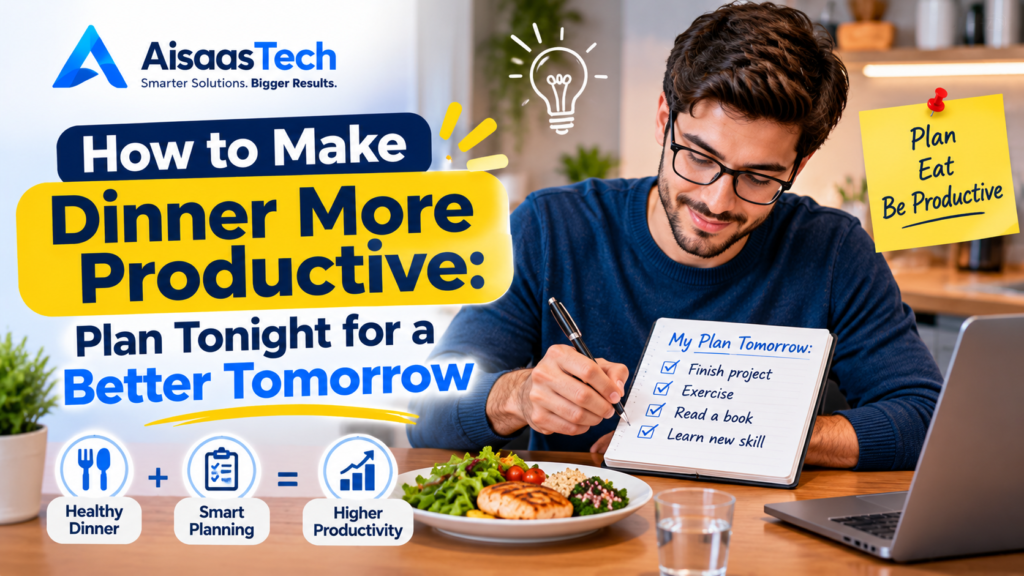
Most productivity advice stops when the workday ends. Yet the two or three hours around your evening meal quietly decide how well you sleep, how steady your energy feels in the morning, and how much mental clutter you carry into tomorrow. That is the idea behind dinner productivity: treating dinner as a deliberate part of your daily system instead of a gap between work and bed. This guide explains what dinner productivity is, why it works, and how to build it in five practical steps. You will also get a sample evening schedule, easy dinner ideas, a 7-day starter plan, and a look at the digital tools that can make the routine almost automatic. Quick answer: Dinner productivity means choosing what you eat, when you eat, and how you spend the evening after the meal so that you sleep better, wake up sharper, and start tomorrow with a clear plan. What Is Dinner Productivity? Dinner productivity is a simple framework built on three questions: Notice what it is not. It is not about working through dinner, and it is not a weight-loss diet. It is also different from workday nutrition, which focuses on breakfast, lunch and afternoon snacks to prevent a 3 p.m. slump. Dinner productivity focuses on the other end of the day: recovery and preparation. Why the Dinner Hour Matters for Tomorrow’s Focus Your performance tomorrow depends heavily on the quality of tonight’s sleep. Research on sleep loss is striking: in a well-known study by Williamson and Feyer, going without sleep for around 17 to 19 hours produced performance impairments on some tasks comparable to a blood alcohol concentration of about 0.05%. You do not need to be fully sleep-deprived for the effect to show up. Even a few restless nights can leave you slower, more distracted, and more irritable. The evening meal touches sleep in three ways: The science on individual foods and exact meal timing is still developing, and people respond differently. Treat the guidance below as a sensible starting point and adjust it based on how you actually feel. For general sleep guidance, the CDC’s sleep resources are a reliable place to start. The 5 Pillars of Dinner Productivity 1. Build a Focus-Friendly Dinner Plate You do not need an exotic menu. A good productivity dinner is balanced, familiar and not excessively large. Some foods are often suggested for evening meals because they contain nutrients linked to relaxation and sleep, such as magnesium in leafy greens and pumpkin seeds, or tryptophan in eggs, fish and legumes. Evidence that a single food will change your sleep is modest, so think of these as helpful choices rather than magic ingredients. What tends to cause trouble is the opposite end: very large portions, very greasy or spicy dishes, heavy sweets, and alcohol or late caffeine close to bedtime. 2. Get the Timing Right A common recommendation is to finish dinner roughly two to three hours before bed. That gives your body time to digest before you lie down, and many people notice they fall asleep more easily. If your schedule makes that impossible, do not give up on the whole routine. Shrink the meal instead. A lighter dinner at 10 p.m. is usually easier on sleep than a heavy one at the same hour. We cover late eaters in more detail below. 3. Make Dinner a Real Break Eating at your desk, scrolling through work chats or watching stressful news keeps your mind in work mode. Your body is fed, but your brain has not rested. Try a few small rules: This matters for productivity because rest and recovery are part of how you sustain good work. People who recover well in the evening usually return to their tasks with more patience and clearer thinking. 4. Run a Short Shutdown and Planning Routine This is the step that turns a healthy dinner into true dinner productivity. A shutdown routine is a short, repeatable sequence that closes your workday so unfinished tasks stop circling in your head. A simple version takes about ten minutes: Doing this after dinner rather than at 11 p.m. gives your mind time to settle before sleep. If you want to automate parts of it, such as recurring reminders, calendar blocks and task syncing, our complete guide to automation shows how to set up simple workflows that run without constant effort. 5. Protect the Last Hour Before Sleep A strong dinner routine can be undone by a chaotic final hour. Bright lights, endless scrolling and stimulating content all make it harder to wind down. Dinner Productivity vs. Lunch Nutrition: What’s the Difference? People often mix up these two ideas, so here is a clear comparison. Factor Workday nutrition (breakfast and lunch) Dinner productivity Main goal Steady focus during working hours Better sleep and a stronger start tomorrow Key levers Meal timing, protein, snacks, hydration Meal size, timing, recovery and planning Biggest risk Afternoon energy slump Late, heavy, distracted evenings Best used for Today’s output Tomorrow’s output They work best together. If you are not sure where to begin, start with the area where you feel the biggest problem: foggy mornings point to your evening routine, while afternoon crashes point to your daytime meals. A Sample Dinner Productivity Evening Times will vary with your schedule, so use this as a template and shift everything earlier or later as needed. Time What you do Purpose 6:00 p.m. Finish work, close laptop Clear boundary between work and rest 6:15 p.m. Quick walk or stretch Mental reset before eating 6:45 p.m. Eat a balanced dinner, phone away Real break and comfortable digestion 7:30 p.m. Light 15- to 20-minute walk or chores Gentle movement after the meal 8:30 p.m. 10-minute shutdown and planning Tomorrow’s top three priorities set 9:30 p.m. Dim lights, screens off, relax Prepare body for sleep 10:30 p.m. Bedtime Enough rest for a sharp morning Easy Dinner Ideas That Support Tomorrow’s Focus These options are simple, widely available, and easy to scale for a family. Dinner
Cybersecurity for Beginners: The Complete Guide to Staying Safe Online in 2026
Cybersecurity for beginners comes down to a few habits done consistently: use a strong, unique password for every account (with a password manager), turn on multi-factor authentication or passkeys, install software updates, learn to spot phishing, and keep backups of what you cannot replace. These habits stop most everyday attacks, and none of them requires technical skill. This guide is the starting point for everything on AISAASTECH about online security. It explains the threats you are most likely to meet, walks through ten core habits in detail, gives you a 30-day plan to put them in place, and shows what to do if something goes wrong. Every recommendation comes from an official source such as CISA, NIST, the UK’s NCSC, the FTC, the FBI or Google, and each is named in the text. What Cybersecurity Means and Why It Matters Now Cybersecurity is the practice of protecting your accounts, devices, and data from people who want to steal, damage, or misuse them. For an individual, that mostly means protecting your logins, your money, your identity, and your files. The scale of the problem is large. The FBI’s Internet Crime Complaint Center (IC3) reported that it received 1,008,597 complaints in 2025, with reported losses of $20.877 billion. Some figures from that report are worth knowing: Crime type (IC3, 2025) Complaints Reported losses Phishing and spoofing 191,561 (the most-reported type) $215.8 million Investment fraud 72,984 $8.65 billion (the largest losses) Business email compromise 24,768 $3.05 billion Tech and customer support fraud 47,794 $2.13 billion Personal data breach 67,456 $1.31 billion Ransomware 3,611 $32.3 million Two cautions when reading these numbers. They are complaints reported to the FBI, mostly from the United States, so they show the pattern of reported crime and not the total amount of it. And phishing is the most common complaint, but investment scams cause the biggest reported losses, which is a reminder that security is as much about slowing down and verifying as about technology. The Main Threats You Will Meet Threat What it is Your main defense Phishing and spoofing Fake emails, texts, calls or websites that trick you into sharing information or installing harmful software Habit 6, plus MFA or passkeys Weak or reused passwords One leaked password unlocking many accounts Habits 1 and 2 Account takeover Someone logs in as you Habits 3 and 4 Data breaches A company’s records, including yours, are exposed Habit 10 Malware and ransomware Harmful software, including software that locks your files Habits 5 and 7 Scams Fake investments, fake tech support, impersonation of banks or officials Verify through a channel you trust, and report Insecure networks and devices Weak router or smart-device settings Habits 8 and 9 You do not need to defend against every possible attack. The ten habits below cover the ones that cause the most harm to ordinary people. Habit 1: Use Strong, Unique Passwords A password is only as safe as it is unique. If you reuse one across accounts, a breach at one service puts all of them at risk. What makes a password strong? Official guidance has moved away from complicated rules toward length and uniqueness. NIST’s Digital Identity Guidelines (SP 800-63B-4), written for organizations that run sign-in systems, say that: These rules are aimed at organizations, but they show what current experts consider good practice for you too. In plain terms: Habit 2: Use a Password Manager No one can remember dozens of long, unique passwords. A password manager creates them, stores them securely, and fills them in for you. The NCSC says a password manager can help you create and remember passwords. NIST goes further and says systems must allow password managers and autofill. How to start: Habit 3: Turn On Multi-Factor Authentication Multi-factor authentication (MFA, also called two-factor or 2-step verification) asks for more than a password to sign in. CISA explains it as using more than a password to access an app or account, for example, a code sent to your phone or a fingerprint. If someone steals your password, they still cannot get in without the second factor. Which accounts first? CISA suggests checking the security settings on your most-used accounts and prioritizing: email, financial, social media, online store, and gaming and streaming accounts. Email comes first because it can reset your other accounts. Which method to choose. Methods are not equal, but CISA says any MFA is better than no MFA. Method Strength Passkey or security key (FIDO/WebAuthn) Strongest. CISA calls phishing-resistant MFA the standard to strive for, because a login attempt on a fake website is blocked Authenticator app A strong everyday choice Number matching on push approvals Helps block approval-fatigue attacks, according to CISA Text message or voice code Weaker, but still better than nothing If an account offers no MFA, CISA suggests asking the company to add it. Habit 4: Move to Passkeys Where You Can A passkey replaces your password with something tied to your device. FIDO Alliance describes a passkey as an authentication credential based on FIDO standards, stored on a phone, computer, or hardware security key, and calls passkeys phishing-resistant and secure by design. Google’s help page explains that you sign in with your fingerprint, face, or your device’s screen lock, and that passkeys cannot be shared, copied, or written down, which makes them harder to phish than passwords. A few practical points from Google’s guidance: Not every site supports passkeys yet. Use them where they are offered, and keep strong passwords plus MFA everywhere else. The NCSC also advises using a passkey in place of a password after a phishing incident if a service offers one. Habit 5: Keep Everything Updated Software flaws are a common way into devices. CISA explains that flaws in software can give criminals access to files or accounts, and that programmers fix them as soon as they can, so you should install updates promptly. The NCSC says software and app updates contain vital security updates. The FTC advises keeping your security software, operating system